Creating Azure DevOps Personal Access Tokens
Step 1: Access Azure DevOps
Begin by navigating to the Azure DevOps platform:
Go to Azure DevOpsStep 2: Open User Settings
Click on the user settings icon (your profile picture or initials) in the top right corner. From the dropdown menu, select "Personal access tokens".
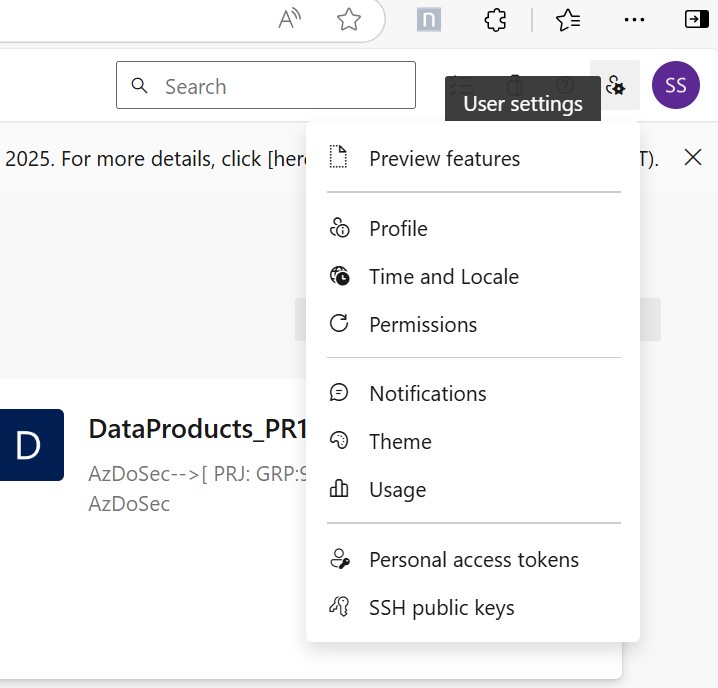
Step 3: Create a New Token
On the Personal Access Tokens page, click the "+ New Token" button.
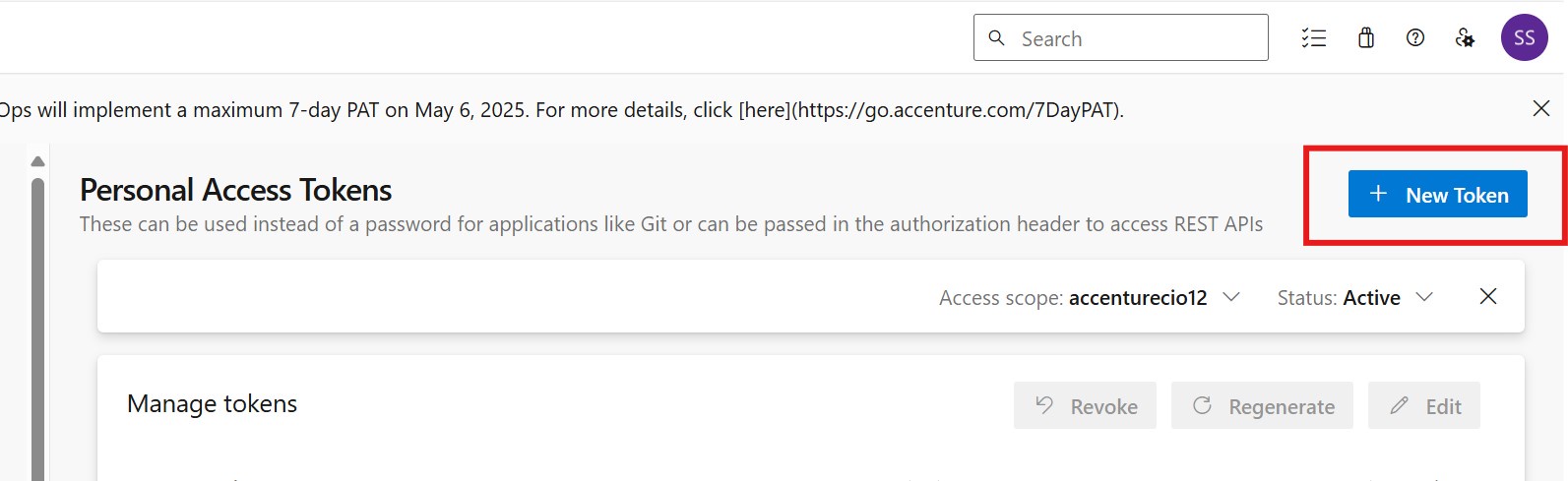
Step 4: Configure the Token
Complete the token configuration form. Consider the following:
- Name: Provide a descriptive name for the token.
- Organization: Choose the appropriate Azure DevOps organization.
- Expiration: Set a reasonable expiration date. Regularly rotate tokens for security.
- Scopes: Select "Full access" or define custom scopes with specific permissions. Be mindful of the principle of least privilege.
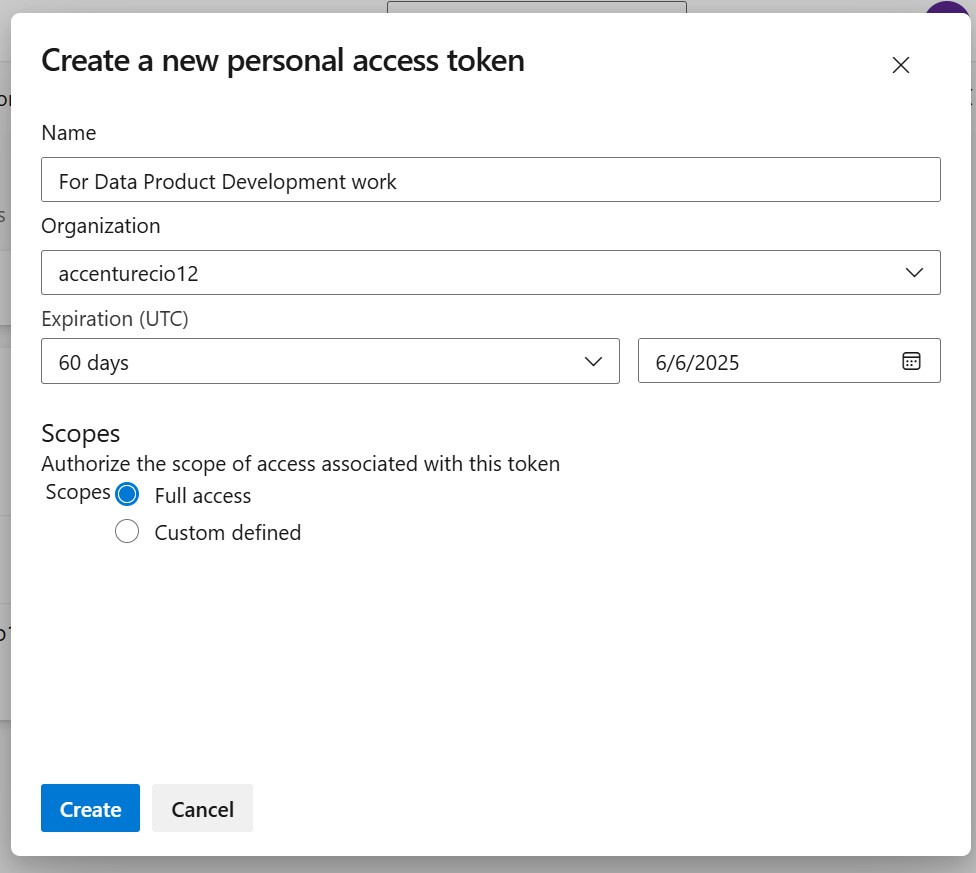
Step 5: Create and Store the Token
Click the "Create" button. The generated token will be displayed only once.
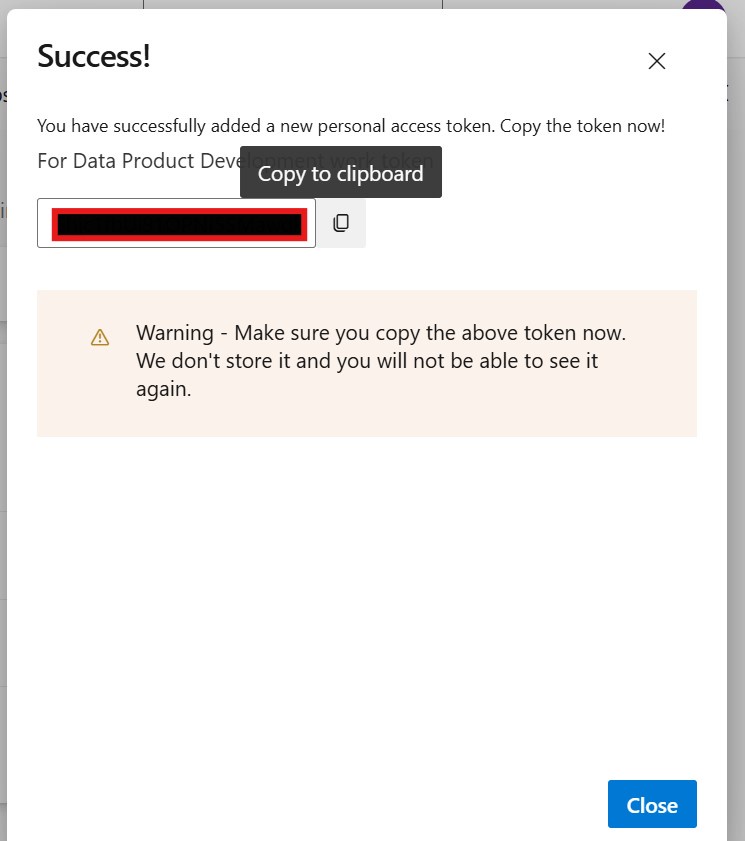
Important: Immediately copy and securely store the token. You will not be able to retrieve it again. Losing the token requires generating a new one.